See SiteOps in Action
Take a closer look at the tools that help construction teams stay organized, save time, and get paid faster — all from one platform.
Request a Demo
Your Digital Construction HQ
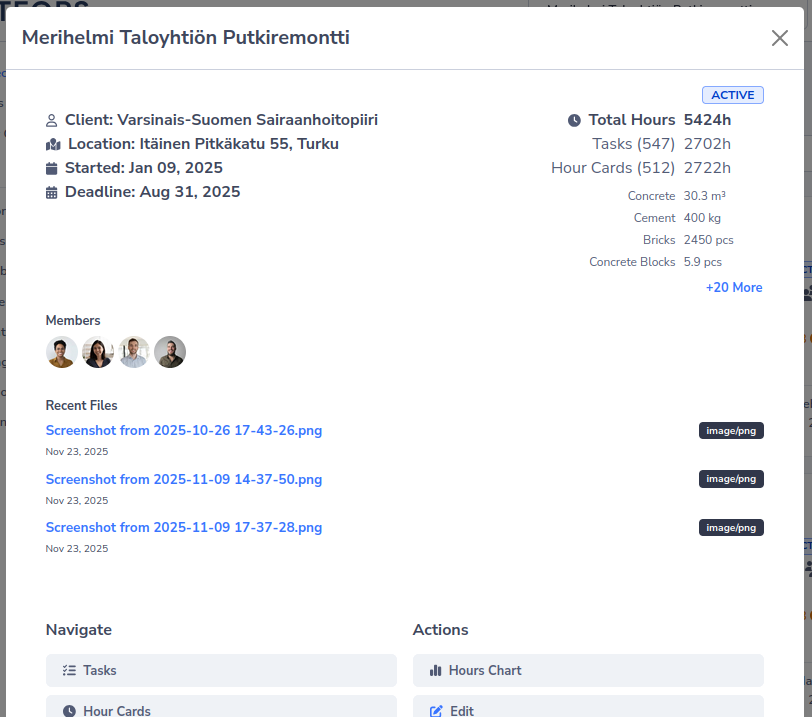
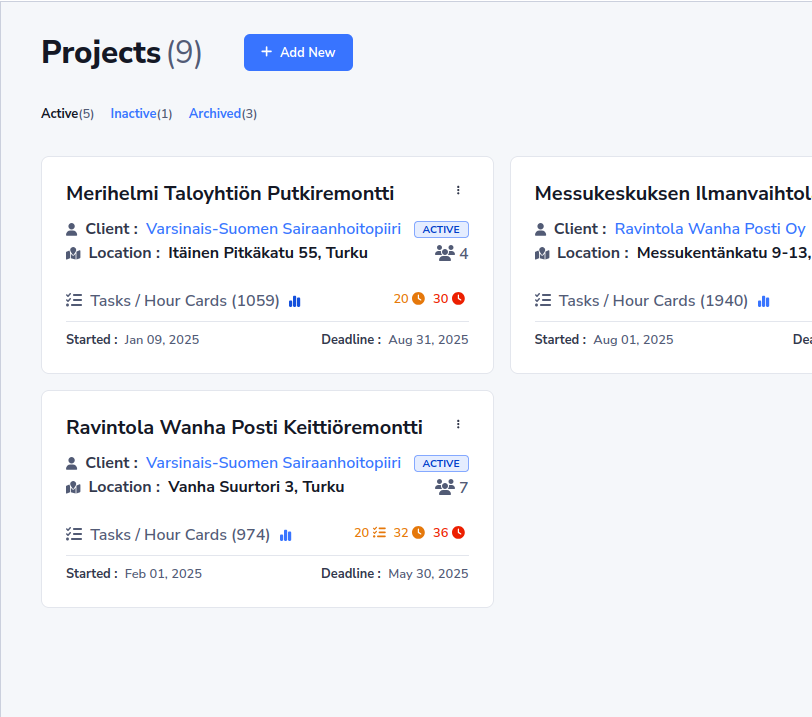
Every project gets its own dashboard with live statistics. See what's happening across all your sites at a glance — from task progress to total hours worked.
- Real-Time Dashboards
Track task counts, pending approvals, hours logged, and piece-work totals instantly per project.
- Smart Filtering
Quickly switch between Active, Inactive, and Archived projects. Search and sort to find exactly what you need.
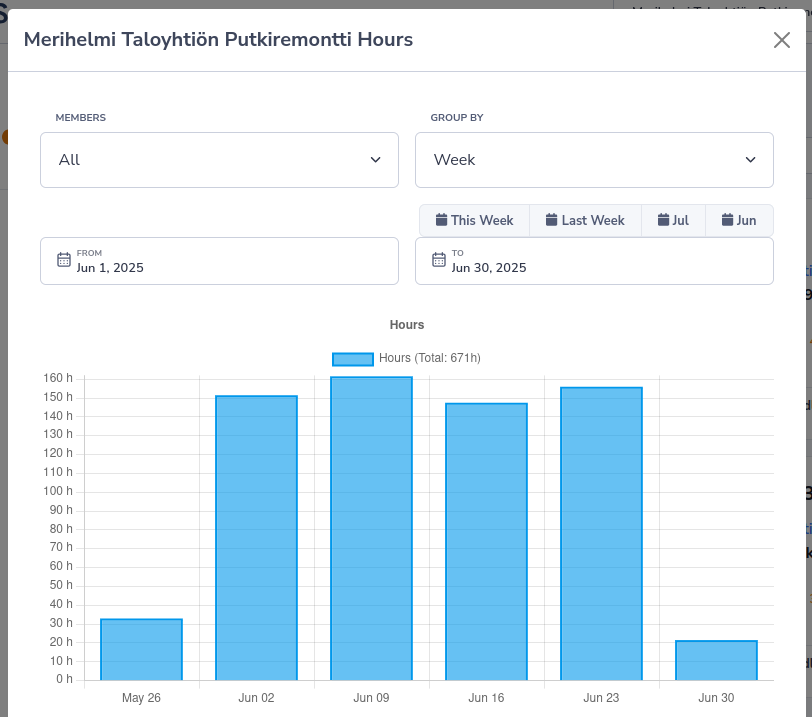
- Hours Analytics
Visual charts showing hours worked over time, with daily or weekly grouping and per-member breakdown.
Clear Instructions, Reliable Hour Records
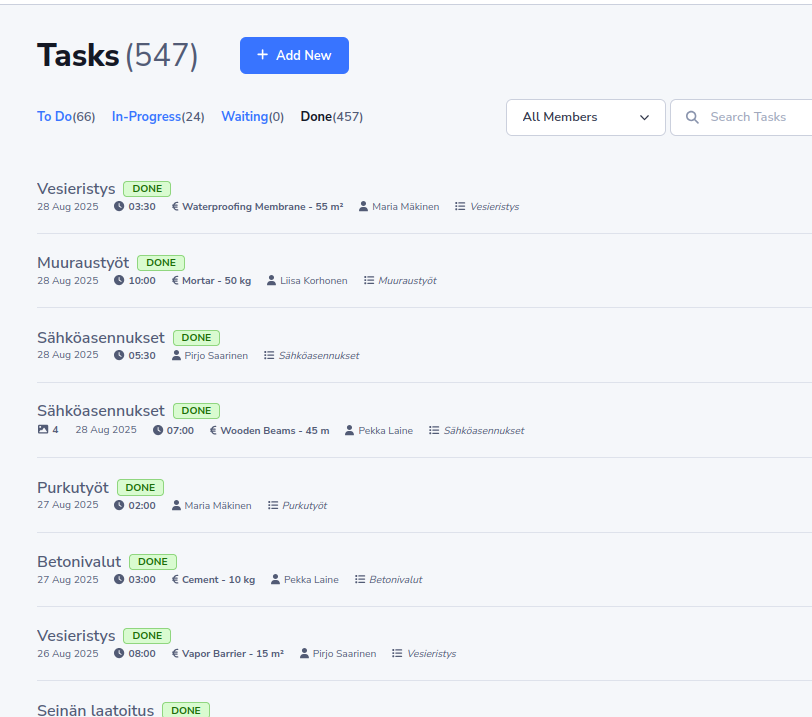
A unified system to manage daily work and record every hour. Assign tasks, log time your way — typed, start-to-end, or with a live timer — and track piece-work for accurate contractor payments.
- 4-Status Workflow
Tasks move through Todo, In Progress, Waiting, and Done. Optional manager approval ensures quality control before sign-off.
- Piece-Work Tracking
Track work by custom units — m² of flooring, m³ of concrete, or pieces installed. Perfect for per-unit contractor billing.
- Photo Proof & Hour Cards
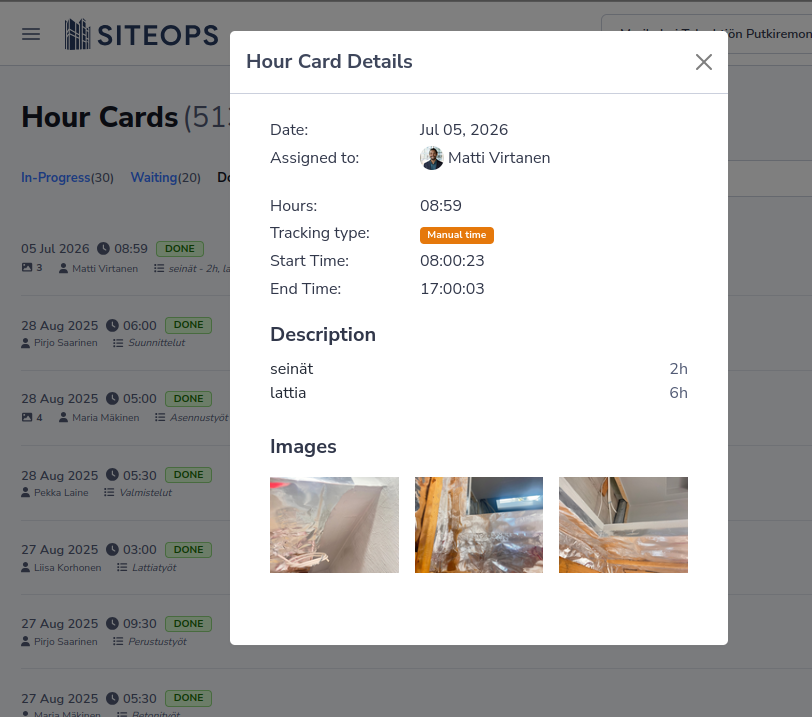
Require photos on task completion for accountability. Log standalone hours via Hour Cards with descriptions and image evidence.
- Flexible Hour Entry
Log time three ways — type hours manually, enter exact start and end times, or run a live timer. Optional GPS capture on start and stop adds a location record to each hour card — data to support your working-time bookkeeping.
Your Always-On Product Expert
Got a question about SiteOps? Our AI assistant knows the product inside and out and is ready to help around the clock — no waiting for support hours.
- Always available
24/7, weekends and early site mornings included — the assistant never clocks out.
- Instant help with every question
From pricing to hour tracking, get clear answers in moments instead of digging through docs.
- Knows the whole product
Trained on everything SiteOps — features, workflows and best practices.
Get Paid Faster With Less Admin
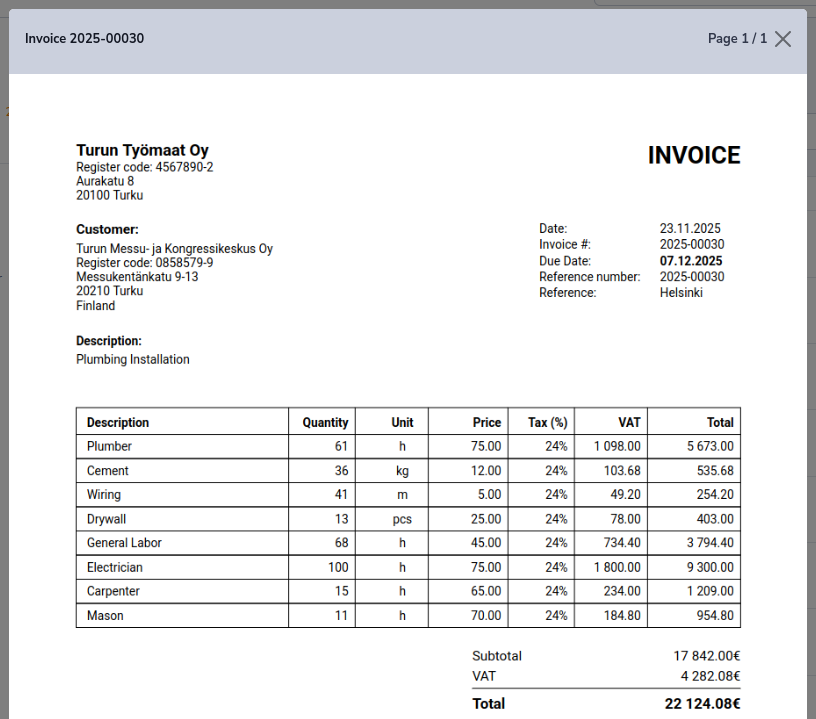
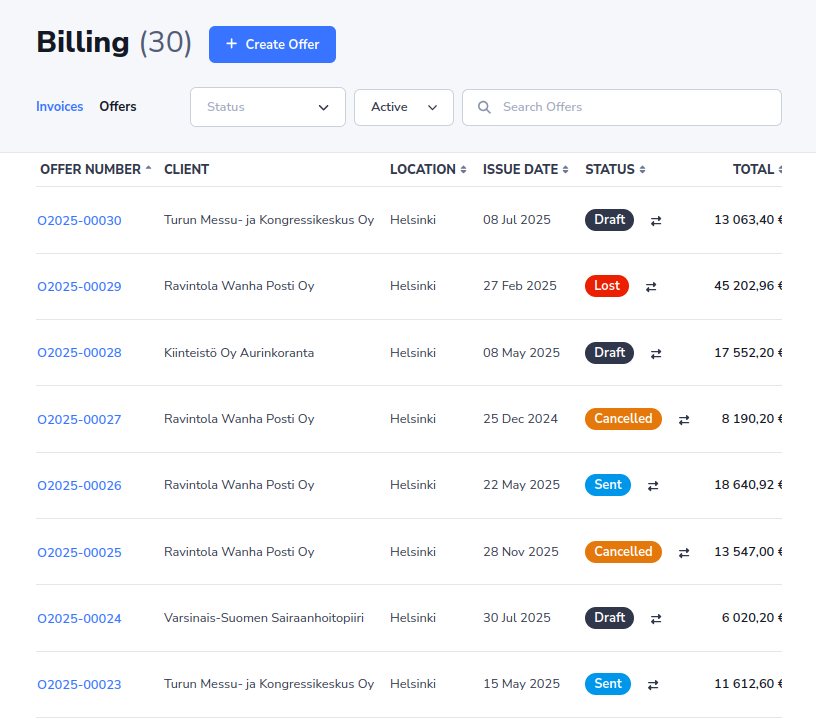
A complete billing engine built for construction. Generate professional invoices and offers, track their lifecycle, and download polished PDFs in seconds.
- Professional PDFs
Generate branded invoices and offers in English, Finnish, or Russian — ready to send to your clients immediately.
- Automatic VAT & Numbering
Smart tax calculation with 13 VAT types including construction reverse charge. Auto-incrementing invoice & offer numbers.
- Multi-Currency Support
Invoice in 20+ currencies from EUR to USD, GBP, SEK, and more. Finnish bank references generated automatically.
Turn Activity Into Actionable Data
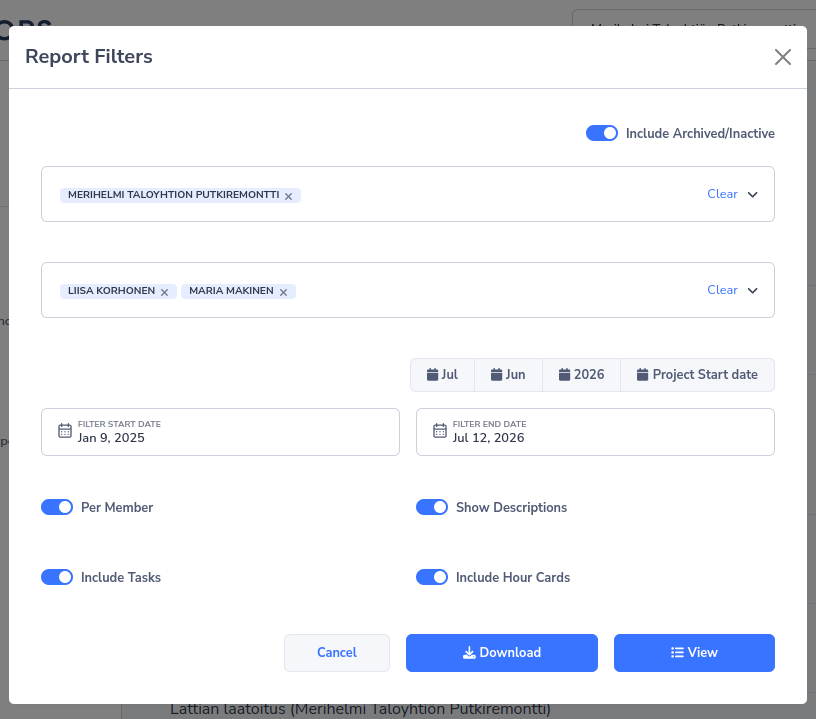
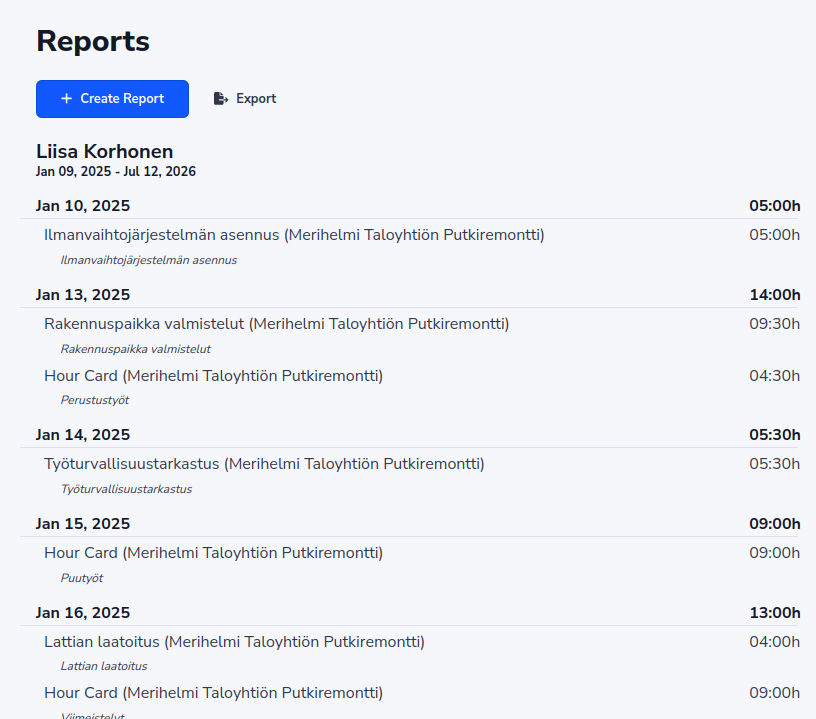
Generate comprehensive reports from your daily work. See exactly what happened on site, who did what, and export the results as professional PDFs.
- Daily & Per-Member Views
Switch between date-grouped daily reports and per-member breakdowns. See individual performance and team output side by side.
- Flexible Filters
Filter by projects, team members, and date ranges. Toggle tasks and hour cards on or off. Show or hide descriptions.
- One-Click PDF Export
Download polished reports in English, Finnish, or Russian. Complete with hours totals and expense breakdowns — ready for stakeholders.
Your Team, Organized and Covered
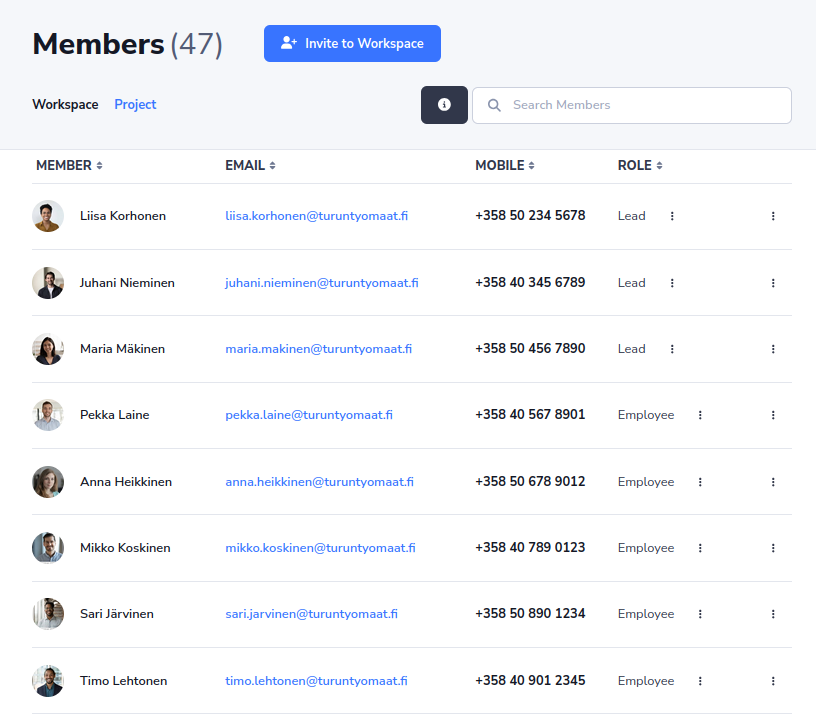
Role-based collaboration built for construction hierarchies — now with self-service time off. Manage members and permissions, approve leave in a tap, and always know who's on site and who's away.
- Three-Tier Role System
Owners control everything. Leads manage their projects. Employees focus on their assigned work. Everyone sees exactly what they need.
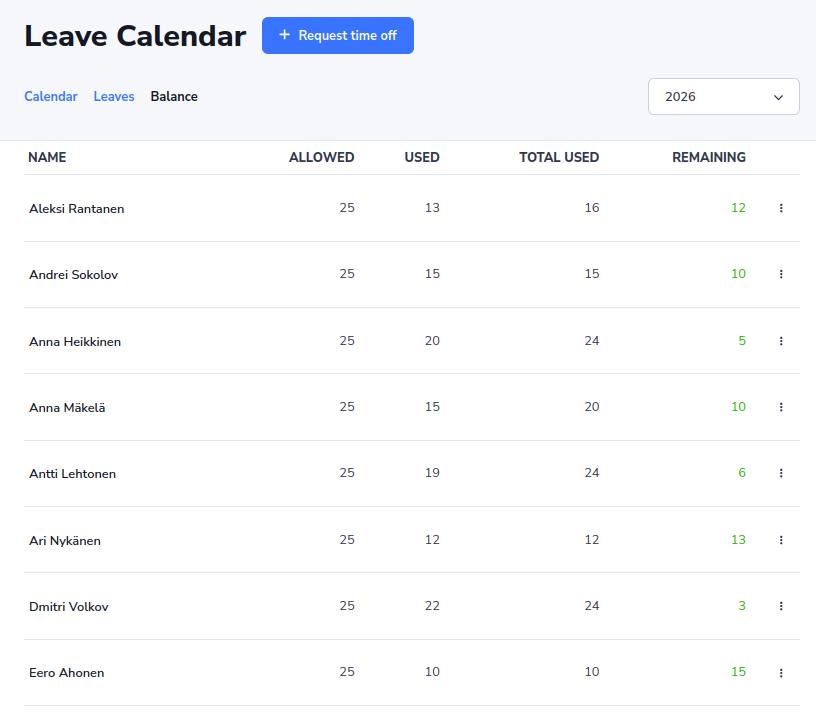
- Leave Requests & Balances
Employees request Holiday, Sick, Unpaid, or Other leave; owners approve with one tap. Working days are counted automatically — weekends and public holidays skipped — with live per-employee balances.
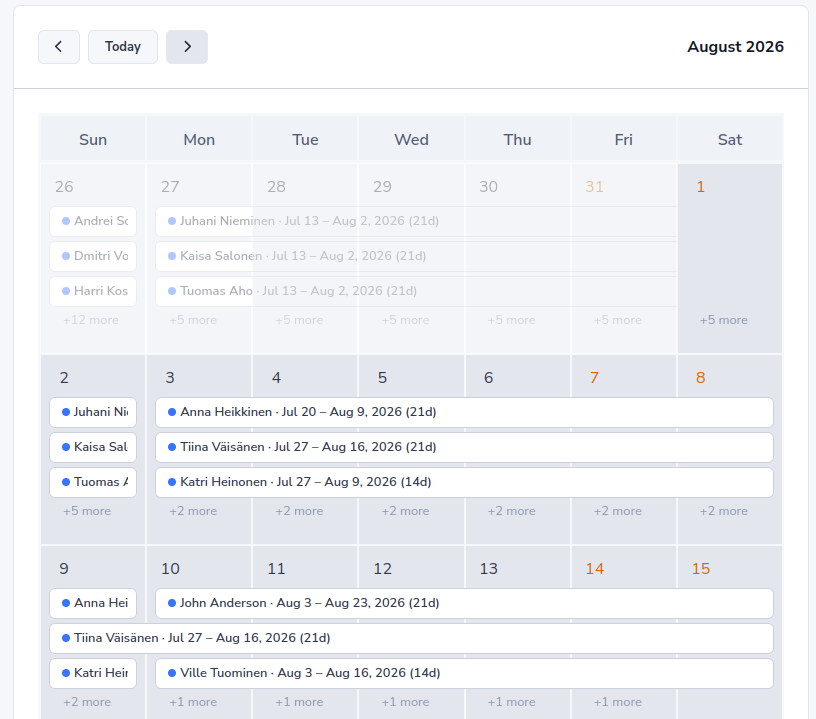
- Team Availability Calendar
See who's away and when on a shared calendar, with configurable leave-year rules, allowances, and country-specific holiday calendars. Email notifications keep everyone in the loop.
- Easy Onboarding
Invite team members by email. They join as Employees by default and can be promoted anytime — no technical setup required.
Built-In Tools for Every Need
Beyond the core features, SiteOps includes essential tools to keep your construction business running smoothly.
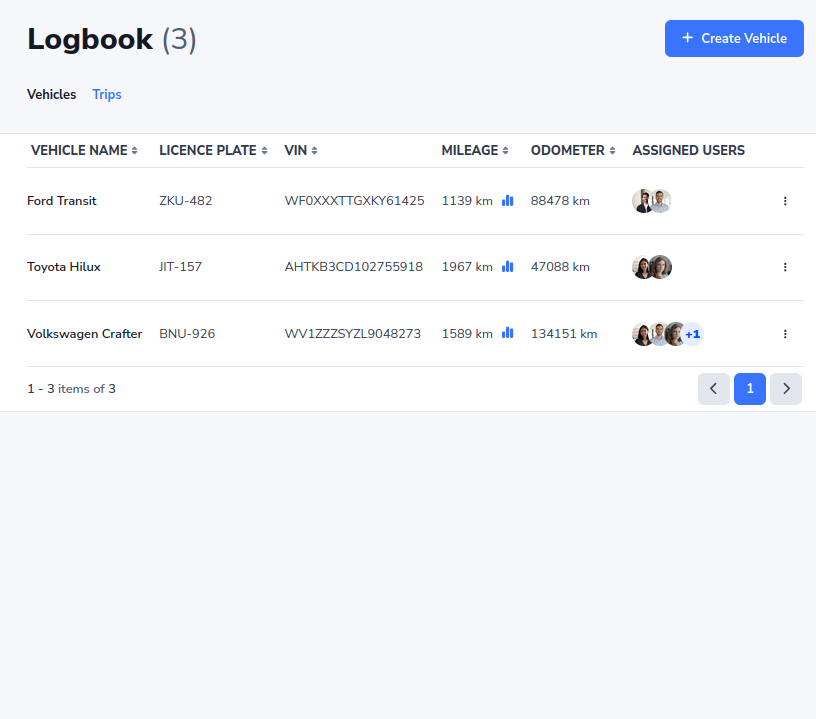
Vehicle Logbook
A complete fleet logbook ready for tax and compliance. Track vehicles, trips, and routes with odometer readings and GPS, keep business and private kilometres separate, and export a localized PDF logbook for any date range.
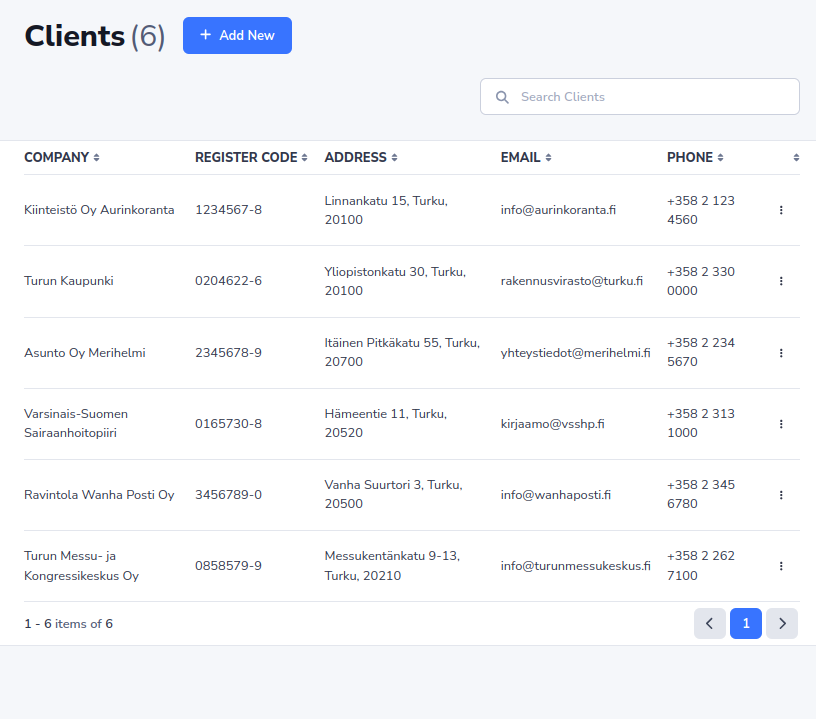
Client Management
A built-in CRM that stores company details, billing info, and registration codes. Set default payment terms per client — due dates are calculated automatically on every invoice and offer.
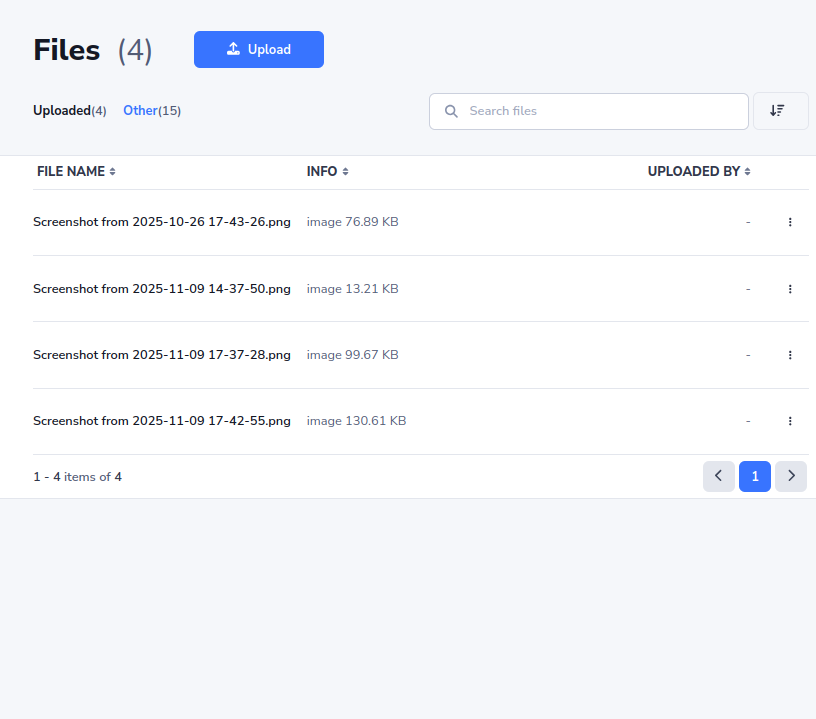
Document & Files
Secure cloud storage for blueprints, contracts, permits, and site photos. Images are automatically optimized for performance, and role-based access ensures everyone sees only what they should.
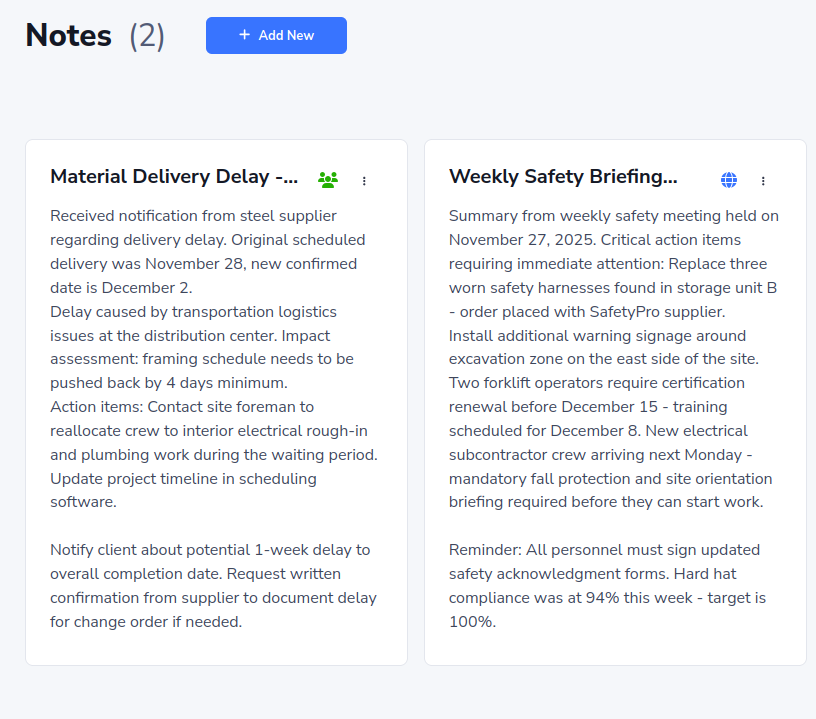
Notes & Announcements
Share updates with flexible visibility. Keep private reminders just for yourself, post project-specific updates for your team, or broadcast company-wide announcements to the whole workspace.
Your Workflow, Simplified
From the first quote to the final payment — SiteOps covers every step.
- 01
Create Project
Client, address, crew and the approval rule — ready in minutes.
- 02
Assign Tasks
Clear jobs with due dates, units and an optional photo-proof rule.
- 03
Track Hours
Typed, start–end or live timer, with optional GPS on start and stop.
- 04
Generate Reports
Finished work waits for a lead's OK, then lands in the daily PDF.
- 05
Invoice Client
Approved hours and m² become invoice lines, reverse-charge VAT included.
Ready to Build Better?
Join construction teams who've simplified their operations with SiteOps. Get started in minutes — no credit card required.